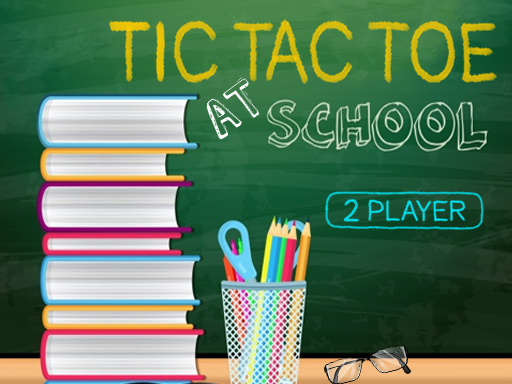
Tic Tac Toe At School
2 player game · Board & Card
 Snake and Ladders Multiplayer
 Guess Who Multiplayer
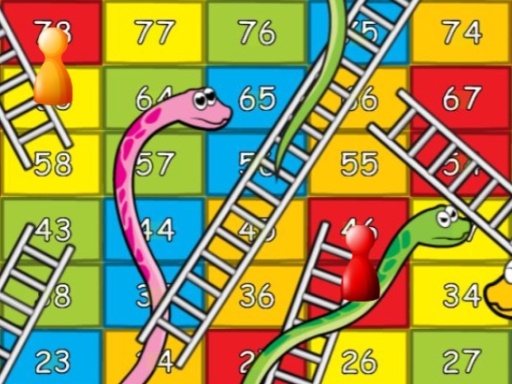 Lof Snakes and Ladders
 Ludo Wars
 Online Tic Tac Toe
 Can Has Connect 4
 Easter Tic Tac Toe
 Tic Tac Toe Original Pro
 Tic Tac Toe Pro - Multiplayer & Challenge
 Master Checkers
 Domino Multiplayer
 Tic Tac Toe Multiplayer
 Backgammon Multiplayer
 Reversi Multiplayer
 Goose Game Multiplayer
 Rummy Multiplayer
 Master Checkers Multiplayer
 Connect 4 Multiplayer
 Master Chess Multiplayer
 Battleship War Multiplayer
 4 in Row Mania
 Checkers Legend
 Ludo Legend
 Backgammonia - online backgammon game
 Tic Tac Toe Blackboard
 Ludo Multiplayer
 Tic Tac Toe Stone Age
 Tic Tac Toe Vegas
Tic Tac Toe At School
A school blackboard supplies the setting for Tic Tac Toe at School. The description frames it as a familiar game to share with friends, with the board taking the place of a paper sheet. Its appeal is that direct contest over placements rather than a promised collection of elaborate extra modes.
The platform calls the game classic tic-tac-toe, but does not spell out the board dimensions or a match series. Check the displayed board and winning-line rules before importing details from another version. There is also no confirmed online matchmaking or computer difficulty system in the supplied text, so the classroom theme should not be mistaken for a feature list. Tic Tac Toe at School uses the left mouse button according to its instruction sheet. No keyboard shortcuts are provided, and the description does not explain any additional input method; follow the board's prompts when choosing a position.
Pause before placing a mark and look for both your own opportunity and the other player's threat. A shared board is easy to read aloud, making it useful to discuss a completed round and see which placement changed the result. The classroom board theme has a close companion in Tic Tac Toe Blackboard.
How to play
How to play
- Play a blackboard-style tic-tac-toe contest with mouse controls.
- Tic Tac Toe at School uses the left mouse button according to its instruction sheet.
- No keyboard shortcuts are provided, and the description does not explain any additional input method; follow the board's prompts when choosing a position.
Tips
- Pause before placing a mark and look for both your own opportunity and the other player's threat.
- A shared board is easy to read aloud, making it useful to discuss a completed round and see which placement changed the result.
Frequently asked questions
- What is the aim of Tic Tac Toe At School?
- Play a blackboard-style tic-tac-toe contest with mouse controls.
- How do you control Tic Tac Toe At School?
- Tic Tac Toe at School uses the left mouse button according to its instruction sheet. No keyboard shortcuts are provided, and the description does not explain any additional input method; follow the board's prompts when choosing a position.
- Which details should I check in Tic Tac Toe At School?
- The platform calls the game classic tic-tac-toe, but does not spell out the board dimensions or a match series.
More Board & Card games
See all → Tick Cross 2 Players
 Monkey And Banana
 Tic Tac Toe Mania
 Carrom 2 Player
 Snake and Ladders Party
 Ludo King
 Tic Tac Toe: Paper Note
 Mahjong Battles Egypt
 Pong ball.io
 Challenge the Runners
 Basket Random
 Car Battle
 Would you Rather?
 Drunken Duel
 Mega Tank Wars Arena
 Basketball Legends
 Eat Blobs Simulator
 Neon Slimes
 2 Player Games 1v1 Battle
 Escape School Duel
 Math Duel - 2 Players
 Stickman Fighting 2 Player
 Viking Tomahawk
 granny chapter2
 Electro.io
 2 Player Mini Challenge
 Flow Free: Warps
 Basketball AllStars
 DONT SPLASH
 Collect Brainrot Arena
 Hockey Stars
 Obby Highest Jump Ever
 Crumple Rumble
 Sniper for Brainrot
 Pongo Master
 Bob Save Stuart
 Little Yellowman Jumping
 Lucky Box - 2 Player
 Pumpking vs Mummy
 2 Player Santa Battle
 Red VS Blue
 Summer Shell
 Othello-Reversi
 Simple Plus Classic Pong
 Rainbow Bead
 Super Soccer
 Ugolki - Halma
 Try To Count The Boxes Brain Training
 Carrom Clash - Neon Edition