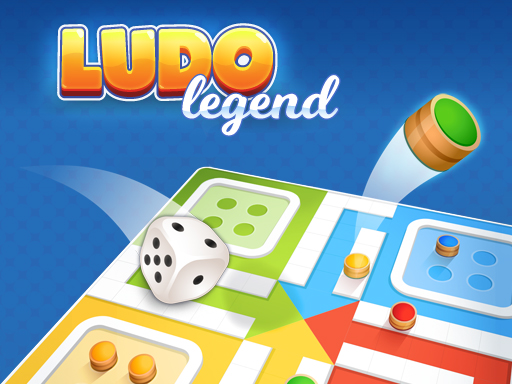
Ludo Legend
2 player game · Board & Card
 Snake and Ladders Multiplayer
 Guess Who Multiplayer
 Lof Snakes and Ladders
 Ludo Wars
 Online Tic Tac Toe
 Can Has Connect 4
 Easter Tic Tac Toe
 Tic Tac Toe Original Pro
 Tic Tac Toe Pro - Multiplayer & Challenge
 Master Checkers
 Domino Multiplayer
 Tic Tac Toe Multiplayer
 Backgammon Multiplayer
 Reversi Multiplayer
 Goose Game Multiplayer
 Rummy Multiplayer
 Master Checkers Multiplayer
 Connect 4 Multiplayer
 Master Chess Multiplayer
 Battleship War Multiplayer
 4 in Row Mania
 Checkers Legend
 Backgammonia - online backgammon game
 Tic Tac Toe Blackboard
 Ludo Multiplayer
 Tic Tac Toe Stone Age
 Tic Tac Toe Vegas
 Tick Cross 2 Players
Ludo Legend
Ludo Legend is a bright, clean version of the classic dice-and-pawn game, and its setup screen is what makes it good for two people. Instead of fixed modes, you decide who sits in each of the four seats.
When the game opens, the setup screen shows four rows, one for each colour: Player 1 (blue), Player 2 (yellow), Player 3 (green) and Player 4 (red). The small icon on the left of each row is a button. Each click cycles it between computer, off and person. By default, Player 1 is a person and the other three are computers. You can also rename each player.
To play with a friend on one device, set Player 1 and Player 2 to person and switch Player 3 and Player 4 off. Then press Start. (You can also leave the computers on to make it a four-seat game.) A short hint at the start of the game explains this too.
The board is the usual Ludo cross, with each colour's home in a corner and stars on the safe squares. What's different from many other versions is that each human player has their own dice box next to their corner: Player 1's at the bottom of the screen and Player 2's at the top. That makes it clear whose turn it is, because you only click your own dice.
One thing to know: in our test, an ad played after some of the rolls. It can be skipped after a few seconds. We rolled a few times to see how it plays, but we didn't play a full game.
How to play
How to play
- On the setup screen, click the icon next to Player 2 until it shows a person. Click the icons next to Player 3 and Player 4 until they show the "off" sign.
- Press Start and skip the ad.
- Player 1 clicks their dice (bottom of the screen). Then Player 2 clicks theirs (top of the screen).
- Move your pieces round the board and into your home. The first player to get all their pieces home wins, as in standard Ludo.
Tips
- Only click your own dice. The two dice boxes are on opposite sides of the screen.
- Use the star squares. They are safe spots where your pieces can't be sent back.
- Want more players? Leave Player 3 and Player 4 as computers for a four-seat game.
- Rename the players on the setup screen so you can tell whose turn it is.
If you like this game, also try Ludo Wars, Snakes and Ladders Multiplayer and Goose Game Multiplayer.
Frequently asked questions
- Can two people play Ludo Legend on one device?
- Yes. On the setup screen, set Player 1 and Player 2 to person and switch Player 3 and Player 4 off. Each human player then has their own dice.
- How do I change a player between person, computer and off?
- Click the icon on the left of that player's row. Each click moves it to the next option.
- Can I play with the computer?
- Yes. By default, Player 1 is a person and Players 2 to 4 are computers.
- Can I rename the players?
- Yes. The game hints that you can change the name of each player on the setup screen.
- Is it free?
- Yes. It runs in your browser with no download. An ad may play between turns.
More Board & Card games
See all → Monkey And Banana
 Tic Tac Toe Mania
 Carrom 2 Player
 Snake and Ladders Party
 Ludo King
 Tic Tac Toe: Paper Note
 Mahjong Battles Egypt
 Fantasy Ludo
 Pong ball.io
 Challenge the Runners
 Basket Random
 Car Battle
 Would you Rather?
 Drunken Duel
 Mega Tank Wars Arena
 Basketball Legends
 Eat Blobs Simulator
 Neon Slimes
 2 Player Games 1v1 Battle
 Escape School Duel
 Math Duel - 2 Players
 Stickman Fighting 2 Player
 Viking Tomahawk
 granny chapter2
 Electro.io
 2 Player Mini Challenge
 Flow Free: Warps
 Basketball AllStars
 DONT SPLASH
 Collect Brainrot Arena
 Hockey Stars
 Obby Highest Jump Ever
 Crumple Rumble
 Sniper for Brainrot
 Pongo Master
 Bob Save Stuart
 Little Yellowman Jumping
 Lucky Box - 2 Player
 Pumpking vs Mummy
 2 Player Santa Battle
 Red VS Blue
 Summer Shell
 Othello-Reversi
 Simple Plus Classic Pong
 Rainbow Bead
 Super Soccer
 Ugolki - Halma
 Try To Count The Boxes Brain Training
 Carrom Clash - Neon Edition