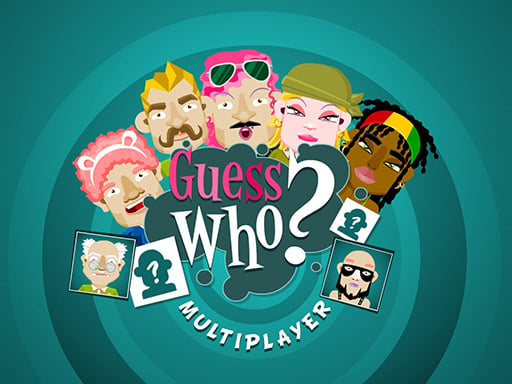
Guess Who Multiplayer
2 player game · Puzzle & Board
 Can Has Connect 4
 Easter Tic Tac Toe
 Online Tic Tac Toe
 Tic Tac Toe Original Pro
 Tic Tac Toe Pro - Multiplayer & Challenge
 2 Player Games Mini Games
 Master Checkers
 Ludo Wars
 Domino Multiplayer
 Tic Tac Toe Multiplayer
 Backgammon Multiplayer
 Reversi Multiplayer
 Goose Game Multiplayer
 Snake and Ladders Multiplayer
 Rummy Multiplayer
 Master Checkers Multiplayer
 Connect 4 Multiplayer
 Master Chess Multiplayer
 Battleship War Multiplayer
 4 in Row Mania
 Checkers Legend
 Ludo Legend
 Precise cannon
 Backgammonia - online backgammon game
 Tic Tac Toe Blackboard
 Ludo Multiplayer
 Tic Tac Toe Stone Age
 Tic Tac Toe Vegas
 Tick Cross 2 Players
 Monkey And Banana
 Mind Games for 2 Player
 Alien Catcher
 Tic Tac Toe Mania
 Carrom 2 Player
 Math Duel - 2 Players
 Snake and Ladders Party
 Neon Hockey
 Beach Volleyball
 Pongo Master
 Bob Save Stuart
 Little Yellowman Jumping
 Lucky Box - 2 Player
 Pumpking vs Mummy
 2 Player Santa Battle
 Red VS Blue
 Summer Shell
 Othello-Reversi
 Simple Plus Classic Pong
 Rainbow Bead
 Super Soccer
 Ugolki - Halma
 Try To Count The Boxes Brain Training
 Carrom Clash - Neon Edition
 Animal Paws Pong
 Lady and Nubik. Build and Dig
 2 Player Mini Challenge
 AnimalCraft Friends 2 Player
 Footy Frenzy
 Ghost Happy Halloween TwoPlayer
 Happy Brothers 2 Player
 Squirrels and Acorn - Draw your level!
 Ping Pong Pulse
 Carrom Pool
 Gladiator Box
 RedPool Legends - 2 Player
 Squid Escape Game
 Dots and Boxes Deluxe
 Riddle Cubes
 Block Head Soccer
 Dots & Boxes
 Slender Boy Escape Robbie
 Orcborn: The Great Flight
 NO---3 Speed
 Red and Green 4
 Pixel Time Summer
 Stick War: Infinity Duel
 Ice Bricks
 Break the Wall
 Shootout 2 Players
 Pong with Powers
"Guess Who" is the guessing game where each player secretly picks a face and then tries to work out the other player's, one question at a time. Guess Who Multiplayer lets you play it in your browser with nothing to install.
There are two ways in from the start screen:
- Play against the computer (the button with the screen icon). You pick your secret character, then take turns asking questions.
- Play online (the button with the globe). The developer describes it as a multiplayer mode, so it is the one to use when you want a game against another person. It needs a second player, so we did not test it ourselves.
In our test of the computer mode, the board showed 24 characters with names such as Chantal, Eric, Bob, Paul, Frank, Zoe, Joe, John, Javier, Evan, Mathias, Michael, Hank and Vito. After we chose Chantal as our own character, the game told us it was our turn and let us pick a question from a box at the bottom of the screen: click the arrows to browse the questions, then press the tick to ask. There is also a score counter in the corner.
We did not find a mode for two people on the same screen, so this is a game for playing against the computer or an online opponent.
Guess Who? is a trademark of Hasbro. This is an independent browser game and is not affiliated with or endorsed by Hasbro.
How to play
How to play Guess Who
- Both players have the same set of faces. Each player secretly chooses one character. In this game you choose yours when the round starts.
- Players take turns asking a yes-or-no question about the other player's character, for example whether it has a certain feature. In this game you choose the question from the list at the bottom of the screen.
- Use the answer to rule out every character that cannot be the one. On the physical board you flip those faces down; in this version, keep track of the remaining faces yourself.
- When you think you know who it is, name the character. Naming the right one wins the game. In the board game, a wrong final guess loses, so be sure before you guess. Check the on-screen prompts to see how this version handles it.
Tips to win more games
- Ask questions that split the group in half. With 24 characters, each good question removes about half of them, so around five well-chosen questions are enough to find one face.
- Avoid questions that only apply to one or two characters. They almost always get a "no" and tell you very little.
- Ask about the features most of the remaining faces share and skip the ones nobody left has.
- Keep track of what you have crossed out. Before you ask, check which characters are still possible.
- Do not guess early. If you are down to two faces, ask one more question first.
More games for two: Connect 4 two player, 2 player checkers and dominoes 2 player.
FAQ
- How do you play Guess Who online?
- Open the game and choose the online button to play against another person, or the computer button to play alone. Pick a secret character, then take turns asking yes-or-no questions until one of you works out the other's character.
- Can I play Guess Who against the computer?
- Yes. The button with the screen icon starts a game against the computer. In our test, the game asked us to choose a character and then let us pick questions from a box at the bottom of the screen.
- Can two people play Guess Who on the same screen?
- We did not find a same-screen mode in this game. It has a computer opponent and an online mode.
- How many characters are there?
- The board in our test showed 24 characters, in rows of six.
- What is the best first question in Guess Who?
- One that splits the remaining faces as close to half and half as possible, because then any answer removes about half of the characters.
- Is it free? Do I need to download anything?
- It is free and runs in your browser, with no download and no sign-up to start a game against the computer.