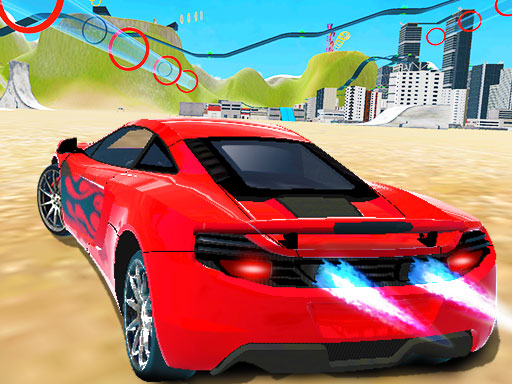
Grand City Racing
2 player game · Racing
 Car Battle
 Racing Ball 3D
 Hyper Cars Ramp Crash
 Shape Transform Race
 GT Cars Mega Ramps
 Rolling Balls Sea Race
 Monkey And Banana
 Sprinter Heroes
 Two Bike Stunts
 Port Bike Stunt
 Circular Racer
 Car Madness 3D
 Fall Cars : Hexagon
 Monster Race 3D
 City Car Stunt 4
 Sky City Riders
 City Bike Stunt 2
 Cyber Cars Punk Racing
 Mini Rally Racing
 MX OffRoad Mountain Bike
 Cyber Racer Battles
 Flying Cars Era
 City Minibus Driver
 Retro Car Xtreme
 2D Car Racing
 Africa Jeep Race
 Two Tubes 3D
 Mountain Climb Racing
Three activities give Grand City Racing its shape: Racing, Challenge and Free Drive. Every one of those modes supports either one player or two, so choosing a different activity does not automatically mean leaving your friend out. The description also highlights car modification, though it does not list the individual upgrades.
That combination suits a session where you want to alternate between structured events and open driving. Treat the mode names as choices to inspect, rather than evidence of particular track counts or mission rules. No vehicle total, upgrade price list or unlock schedule appears in the supplied text, and those details need checking in the game.
Grand City Racing lists WASD or arrows for solo movement, F for NOS, T to look back, R to reset position and Space for the handbrake. Its two-player listing repeats Player 1's bindings but cuts off before Player 2; check that missing set in-game. Learn the reset and handbrake inputs before taking on a demanding event. If both drivers are joining, confirm their controls first, then select the mode that matches whether you want a race, a challenge or room to drive freely. A further mix of car stunts and open driving appears in City Car Stunt 3.
How to play
How to play
- Choose Racing, Challenge or Free Drive and modify cars alone or together.
- Grand City Racing lists WASD or arrows for solo movement, F for NOS, T to look back, R to reset position and Space for the handbrake.
- Its two-player listing repeats Player 1's bindings but cuts off before Player 2; check that missing set in-game.
Tips
- Learn the reset and handbrake inputs before taking on a demanding event.
- If both drivers are joining, confirm their controls first, then select the mode that matches whether you want a race, a challenge or room to drive freely.
Frequently asked questions
- What is the aim of Grand City Racing?
- Choose Racing, Challenge or Free Drive and modify cars alone or together.
- How do you control Grand City Racing?
- Grand City Racing lists WASD or arrows for solo movement, F for NOS, T to look back, R to reset position and Space for the handbrake. Its two-player listing repeats Player 1's bindings but cuts off before Player 2; check that missing set in-game.
- Which modes support two players in Grand City Racing?
- Racing, Challenge and Free Drive all support either one or two players according to the description.
More Racing games
See all → Miami Car Racing
 Jet Boat Racing
 Speed Racing
 Ultimate Flying Car
 Night City Racing
 Speedboat Challenge Racing
 MTB DownHill Extreme
 Dirt Bike Racing Duel
 Snake and Ladders Multiplayer
 Pong ball.io
 Challenge the Runners
 Basket Random
 Guess Who Multiplayer
 Would you Rather?
 Drunken Duel
 Mega Tank Wars Arena
 Basketball Legends
 Eat Blobs Simulator
 Lof Snakes and Ladders
 Neon Slimes
 2 Player Games 1v1 Battle
 Escape School Duel
 Ludo Wars
 Math Duel - 2 Players
 Stickman Fighting 2 Player
 Viking Tomahawk
 granny chapter2
 Online Tic Tac Toe
 Electro.io
 2 Player Mini Challenge
 Flow Free: Warps
 Basketball AllStars
 DONT SPLASH
 Collect Brainrot Arena
 Hockey Stars
 Obby Highest Jump Ever
 Crumple Rumble
 Sniper for Brainrot
 Pongo Master
 Bob Save Stuart
 Little Yellowman Jumping
 Lucky Box - 2 Player
 Pumpking vs Mummy
 2 Player Santa Battle
 Can Has Connect 4
 Red VS Blue
 Summer Shell
 Othello-Reversi
 Easter Tic Tac Toe
 Simple Plus Classic Pong
 Rainbow Bead
 Super Soccer