Tank Pixel
2 player game · Shooting
 Mega Tank Wars Arena
 Electro.io
 Sniper for Brainrot
 Gun and Guys
 Supernova: The "Charon" Protocol
 Survival On Worm Planet
 Xmas Rooftop Battles
 Precise cannon
 Mini Tanks
 Tank Fight
 Tank Stormy
 Alien Catcher
 TankHit
 The Ironic Zombie
 Heads Mayhem
 The Pyramid Adventure
 Ball Shooter 2 player
 Zombie Parade Defense
 Bomber Friends 2 Player
 Zombie Mission 5
 Zombie Last Guard
 Drunken Duel 2
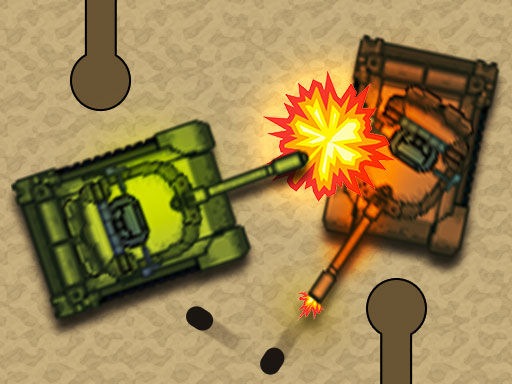 Micro Tanks
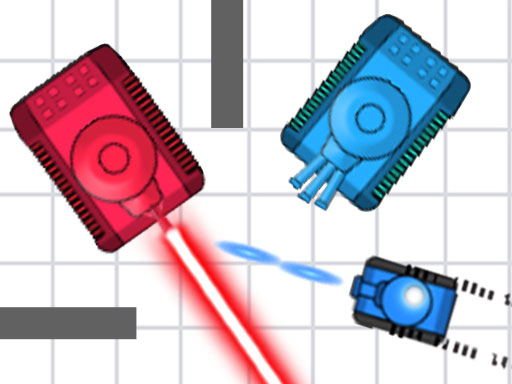 Tank Mayhem
 Zombie Parade Defense 2
 Castel Wars
 Zombie Mission 7
 Tank Wars the Battle of Tanks, Fullscreen HD Game
Tank Pixel
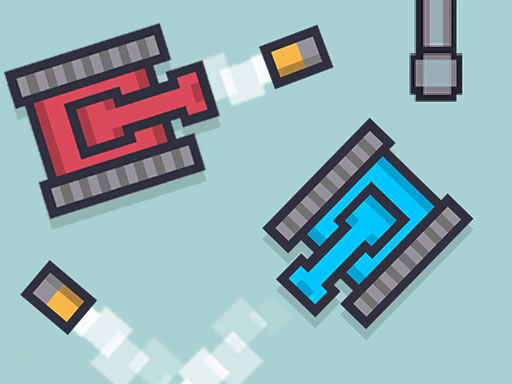
A wall can be part of your aim in Tank Pixel. These micro tanks fire bullets that bounce, so a shot does not have to travel straight toward your friend to cause trouble. The contest ends when someone reaches five points, giving every successful hit a clear place in the race.
The map changes after each round. That means a useful angle from the last encounter may no longer exist, and both players have to read the new layout. The description connects movement to a short touch and shooting to a longer touch, rather than listing a collection of separate weapon buttons.
Tank Pixel assigns W to Player 1 and Up Arrow to Player 2 on desktop. On mobile, each person uses touch controls on their own side; check the game for how those inputs handle movement and firing.
Try a bank shot when the direct route looks predictable, but watch where the rebound will travel. Treat a new map as a fresh aiming problem rather than assuming the previous round's shot will work again. For another tank-versus-tank contest with bonuses, try Tank Mayhem.
How to play
How to play
- Bounce tank shots off walls and race a friend to five points.
- Tank Pixel assigns W to Player 1 and Up Arrow to Player 2 on desktop.
- On mobile, each person uses touch controls on their own side; check the game for how those inputs handle movement and firing.
Tips
- Try a bank shot when the direct route looks predictable, but watch where the rebound will travel.
- Treat a new map as a fresh aiming problem rather than assuming the previous round's shot will work again.
Frequently asked questions
- What is the aim of Tank Pixel?
- Bounce tank shots off walls and race a friend to five points.
- How do you control Tank Pixel?
- Tank Pixel assigns W to Player 1 and Up Arrow to Player 2 on desktop. On mobile, each person uses touch controls on their own side; check the game for how those inputs handle movement and firing.
- Does Tank Pixel use the same map each round?
- No. The description says the map changes after each round.
More Shooting games
See all → War Of Tanks : Paper Note
 Bottle Shoot
 Brawl Gun
 Stickdoll : God Of Archery
 Zombie Mission 8
 mr Bullet 2 players
 Zombie Parade Defense 4
 DinoZ
 Snake and Ladders Multiplayer
 Pong ball.io
 Challenge the Runners
 Basket Random
 Car Battle
 Guess Who Multiplayer
 Would you Rather?
 Drunken Duel
 Basketball Legends
 Eat Blobs Simulator
 Lof Snakes and Ladders
 Neon Slimes
 2 Player Games 1v1 Battle
 Escape School Duel
 Ludo Wars
 Math Duel - 2 Players
 Stickman Fighting 2 Player
 Viking Tomahawk
 granny chapter2
 Online Tic Tac Toe
 2 Player Mini Challenge
 Flow Free: Warps
 Basketball AllStars
 DONT SPLASH
 Collect Brainrot Arena
 Hockey Stars
 Obby Highest Jump Ever
 Crumple Rumble
 Pongo Master
 Bob Save Stuart
 Little Yellowman Jumping
 Lucky Box - 2 Player
 Pumpking vs Mummy
 2 Player Santa Battle
 Can Has Connect 4
 Red VS Blue
 Summer Shell
 Othello-Reversi
 Easter Tic Tac Toe
 Simple Plus Classic Pong
 Rainbow Bead
 Super Soccer
 Ugolki - Halma
 Try To Count The Boxes Brain Training