Reversi Free
2 player game · Arcade
 Snake and Ladders Multiplayer
 Pong ball.io
 Lof Snakes and Ladders
 Electro.io
 2 Player Mini Challenge
 Collect Brainrot Arena
 Obby Highest Jump Ever
 Crumple Rumble
 Pongo Master
 Bob Save Stuart
 Little Yellowman Jumping
 Lucky Box - 2 Player
 Pumpking vs Mummy
 Red VS Blue
 Summer Shell
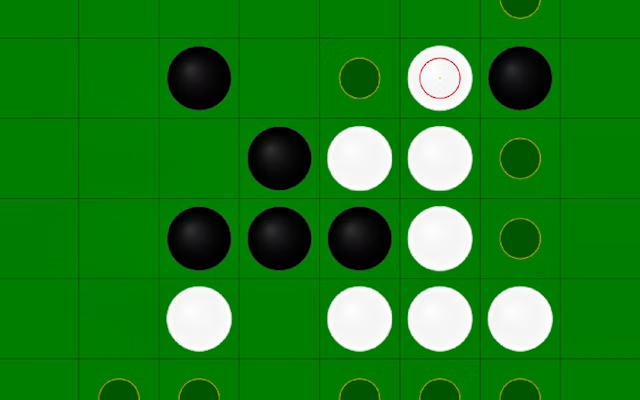 Othello-Reversi
 Simple Plus Classic Pong
 Rainbow Bead
 Ugolki - Halma
 Carrom Clash - Neon Edition
 Animal Paws Pong
 AnimalCraft Friends 2 Player
 Footy Frenzy
 Ghost Happy Halloween TwoPlayer
 Happy Brothers 2 Player
 Squirrels and Acorn - Draw your level!
 Ping Pong Pulse
 Gladiator Box
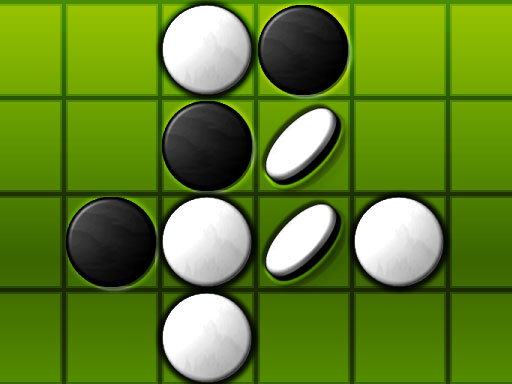
A large lead can still change hands in Reversi Free. The description stresses that having more counters now does not guarantee the final result, making each placement a question about how the board may change. The supplied interaction is to choose a marked tile and convert opposing pieces.
Reversi Free tells you to click a board tile marked with a sign to convert the opponent's pieces. No keyboard controls or separate touch instructions are listed, so follow the marked board choices and check the in-game rules for any extra interaction.
The listing does not describe its player-mode menu, a board size or individual computer difficulties. It also does not spell out every capture rule. That means the safest introduction is the confirmed counter-flipping contest, with the game's own prompts supplying the details needed before you decide whether a position is secure.
Look beyond the immediate number of counters a move gains. The description's warning about reversals is a good reason to consider what the other side can change next, and comparing the available marked tiles helps you avoid choosing only the most obvious conversion. Another counter-flipping board to compare is Othello-Reversi.
How to play
How to play
- Flip opposing counters through marked board positions in a Reversi challenge.
- Reversi Free tells you to click a board tile marked with a sign to convert the opponent's pieces.
- No keyboard controls or separate touch instructions are listed, so follow the marked board choices and check the in-game rules for any extra interaction.
Tips
- Look beyond the immediate number of counters a move gains.
- The description's warning about reversals is a good reason to consider what the other side can change next, and comparing the available marked tiles helps you avoid choosing only the most obvious conversion.
Frequently asked questions
- What is the aim of Reversi Free?
- Flip opposing counters through marked board positions in a Reversi challenge.
- How do you control Reversi Free?
- Reversi Free tells you to click a board tile marked with a sign to convert the opponent's pieces. No keyboard controls or separate touch instructions are listed, so follow the marked board choices and check the in-game rules for any extra interaction.
- Which details should I check in Reversi Free?
- The listing does not describe its player-mode menu, a board size or individual computer difficulties. It also does not spell out every capture rule.
More Arcade games
See all → RedPool Legends - 2 Player
 Dots and Boxes Deluxe
 Riddle Cubes
 Dots & Boxes
 Orcborn: The Great Flight
 NO---3 Speed
 Red and Green 4
 Pixel Time Summer
 Challenge the Runners
 Basket Random
 Car Battle
 Guess Who Multiplayer
 Would you Rather?
 Drunken Duel
 Mega Tank Wars Arena
 Basketball Legends
 Eat Blobs Simulator
 Neon Slimes
 2 Player Games 1v1 Battle
 Escape School Duel
 Ludo Wars
 Math Duel - 2 Players
 Stickman Fighting 2 Player
 Viking Tomahawk
 granny chapter2
 Online Tic Tac Toe
 Flow Free: Warps
 Basketball AllStars
 DONT SPLASH
 Hockey Stars
 Sniper for Brainrot
 2 Player Santa Battle
 Can Has Connect 4
 Easter Tic Tac Toe
 Super Soccer
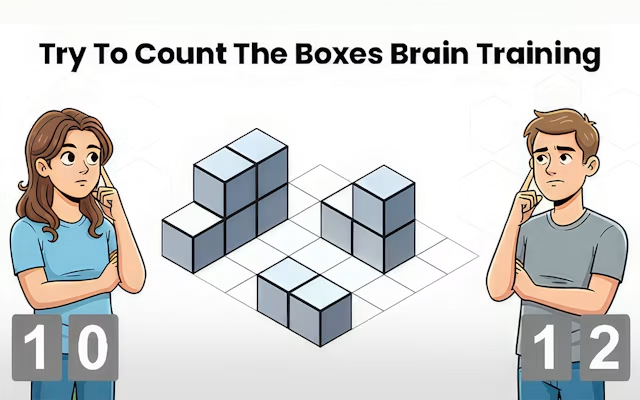 Try To Count The Boxes Brain Training