Online Games for Two Players on Different Computers: How to Play Together
Updated 2026-11-07
You and a friend are in different places and want a game for two. There are three ways to do it, and the right one depends on the game. This page explains each, what you need, and how to avoid the usual problems.
Important: not every browser game supports online play between two computers. Many free two-player games are made for two people on the same keyboard or screen. Always read a game's page to see which modes it offers before you send your friend a link.
Way 1: a game with its own online mode
Some games let you create a room or join a match, so each player uses their own device.
- Look for words such as online, multiplayer, invite a friend, room or play with friends in the title and description.
- One player creates the game, then shares a link or room code. The other opens it and joins.
- You both need the page open at the same time, and a stable internet connection.
- If a game asks you to choose between a local and an online mode, choose online.
Board and card games are the most common type of browser game with online play, because they send very little data. Browse the Board and Card category and read each game's page.
Way 2: one game, one screen shared over a call
If a game only has local two-player mode, you can still play at a distance:
- Start a video call on any app.
- One player opens the game and shares their screen.
- The other player tells them what to do (for a turn-based game), or you take it in turns to control it.
This works well for turn-based games like checkers, chess or tic tac toe, where only one person moves at a time. It does not work well for fast action games, because of delay.
Way 3: games that need no game at all
Some of the best distance games need nothing but a call.
- Hangman, 20 Questions and word chain. Voice only.
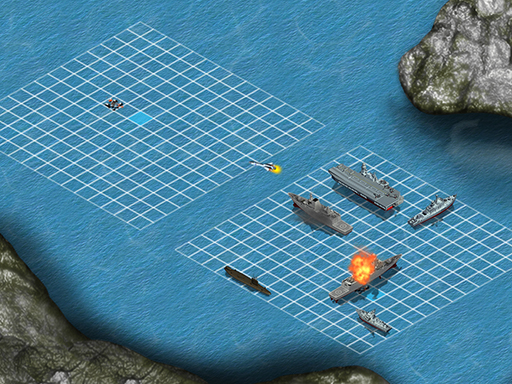
- Battleship on paper. Each of you draws two grids. See how to play Battleship.
- Tic tac toe or dots and boxes on a shared drawing board or a shared document.
- A quiz. Read the best friend quiz questions to each other.
- More ideas. See our list of games for 2 players for games sorted by what you have to hand.
Tips for a smooth game
- Test the connection first. A game with a lot of movement, such as a racing or fighting game, needs a fast, stable connection. Turn-based games are much more forgiving.
- Use the same browser type if a game has problems. A recent version of a standard browser works best.
- Close other tabs and downloads. They use bandwidth and slow the game down.
- Agree who goes first and who picks the next game.
- Do not share passwords or personal details in game rooms. Only share a room code with people you know.
- If lag is bad, switch to a turn-based game. Lag matters much less when you wait for each other anyway.
Which type of game suits which situation
| Situation | Best choice |
|---|---|
| Quick game, fast connection | A game with an online room |
| Only a local two-player game | Screen share on a call |
| Bad connection | Word games and voice-only games |
| Younger children | Tic tac toe or Hangman on a shared screen |
Go further
For ideas of which two-player games are worth trying, read the best board games for 2 players and 2 player card games. If you want to share one computer instead, see 2 player games for one keyboard.
FAQ
- Can you play two-player games on different computers?
- Yes, if the game has an online multiplayer mode. Many free two-player games are local only, so check the game's page. If it is local only, you can still play by sharing a screen on a video call.
- How do I play a game with a friend online?
- Pick a game with an online or multiplayer mode, create a room, and send your friend the link or room code. Both of you need the page open at the same time.
- What if the game only works on one screen?
- Start a video call and share your screen. Turn-based games such as chess, checkers or tic tac toe work well this way.
- Which games work best at a distance?
- Turn-based games and word games. They need little bandwidth and a slow connection does not matter much.
- Do I need to create an account?
- It depends on the game. Many browser games need no account, but some online modes may ask you for a name. Read the game's page before you play.
- Is it safe to play with someone online?
- Only share room codes with people you know, and do not share passwords or personal details in a game.